
General-purpose tools make you stretch a building simulator or a CFD code to fit a data center. Datacenter Cooling goes the other way: a transient thermal-fluid simulator whose every component — chip, cold plate, CRAH, chiller, tower — was built for this one job.
What does it simulate?
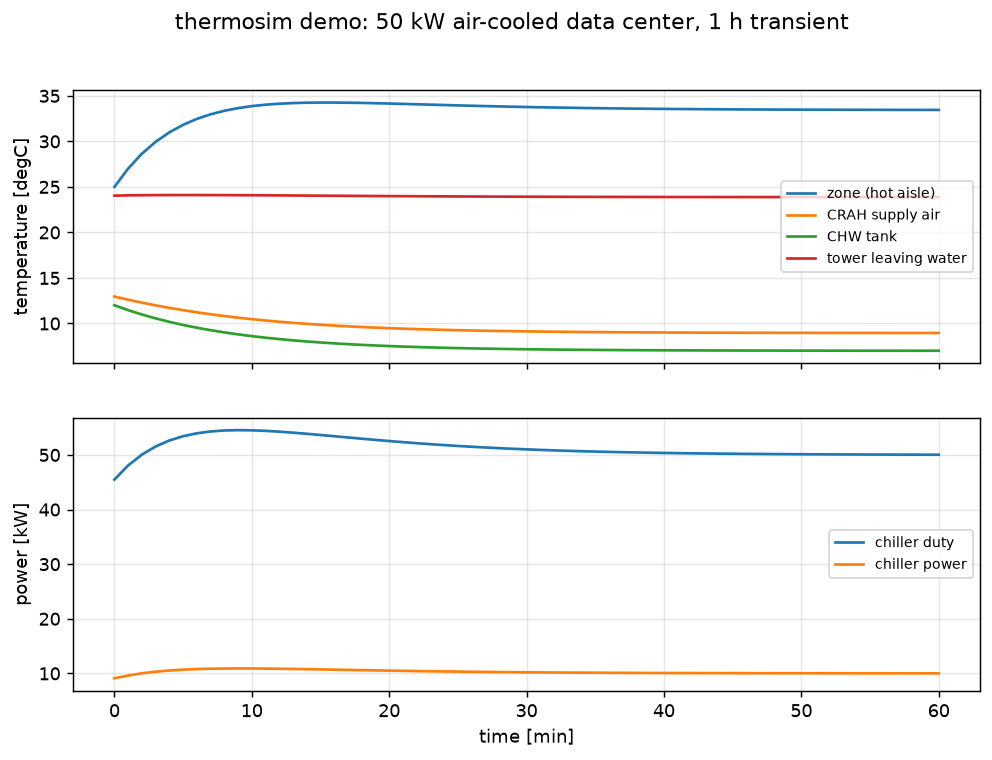
Complete cooling plants, from chip junction to heat rejection, as a network of ~68 validated components wired port to port on a schematic canvas. All three cooling technologies are first-class — traditional air (CRAH/CRAC, containment, raised floor), direct-to-chip liquid (cold plates, CDUs, warm-water loops), and immersion (single-phase baths and two-phase boiling with nucleate-boiling physics) — and they mix on one plant: the built-in demo runs 30 kW air-cooled, 20 kW direct-to-chip, and 15 kW two-phase immersion simultaneously on one chilled-water loop, landing at PUE 1.24.
Everything included
- ~68 components: chillers (EIR, Carnot, absorption), Merkel cooling towers, CRAH/CRAC coils, cold plates, CDUs, immersion tanks, thermal-storage tanks, economizers, pumps, valves, PV, batteries, electricity tariffs, PID and staged controllers, and more — every one documented
- Weather-driven annual runs — standard EPW/TMY3 files drive ambient conditions; a full 8,760-hour year solves in about one minute thanks to a cached-Jacobian DAE solver
- Free-cooling analysis — wet-bulb-based economizer feasibility counts for your site, straight from the weather file
- Failure scenarios as first-class citizens — pump trips, chiller trips, N+1 failover, and thermal-storage ride-through, simulated transiently rather than assumed
- Client-ready reports — self-contained HTML (print to PDF) and Word export with PUE, WUE, per-component energy, time series, and A/B scenario overlays
- Tornado sensitivity analysis and digital-twin calibration against measured BMS trend data
- Co-simulation and custom components — couple with EES, MATLAB, Excel, or Python, or define your own components from inside the GUI
Is it validated?
Against published data, case by case: ASHRAE psychrometric routines, EnergyPlus chiller curves (a Carrier nameplate COP reproduced within 1%), the YORKcalc cooling-tower correlation (mean 0.33 K approach error), published FC-72/HFE-7100 boiling curves for immersion, and the Breen chip-to-tower benchmark matched within 0.3%. The validation set ships with the product, so you can re-run it.
What do engineers use it for?
- Sizing a 2 MW containment hall and verifying hot-aisle temperatures under peak load
- Quantifying free-cooling hours and chillerless warm-water operation for a specific climate
- Comparing air vs direct-to-chip vs immersion on the same load — PUE, WUE, and capital trade-offs in one report (see how to reduce data center PUE)
- Verifying thermal ride-through: how many seconds does the water inventory buy when a chiller trips?
- Rear-door heat exchanger retrofits, district-heat reuse, TES arbitrage against a tariff
Common questions
Is this CFD?
No — it is a system-level thermal-fluid network simulator, the right fidelity for plant design, energy studies, and control questions. CFD answers airflow-distribution questions inside one room; Datacenter Cooling answers plant-architecture, annual-energy, and resilience questions in minutes instead of days. The two complement each other.
Does it need TRNSYS, MATLAB, or Python installed?
No — it is fully standalone: one installer, one native desktop window. Co-simulation with EES, MATLAB, Excel, or Python is available when you want it, never required.
Can it optimize a design, not just simulate it?
Scenario A/B comparison and tornado sensitivity are built in, and the co-simulation interface lets you drive the simulator from an external optimizer. For formal multi-objective studies, pair it with the same optimizer family that powers our MO products.
Try Datacenter Cooling on your own model — free
Download the demo and see the workflow for yourself, or take a free 2-day trial license of the full edition — activated in minutes, no credit card charged.