Everything about our software, licensing, and support — organized by topic. Can’t find your answer? Contact us and a human will reply.
About the software
What does Multi Optimization make?
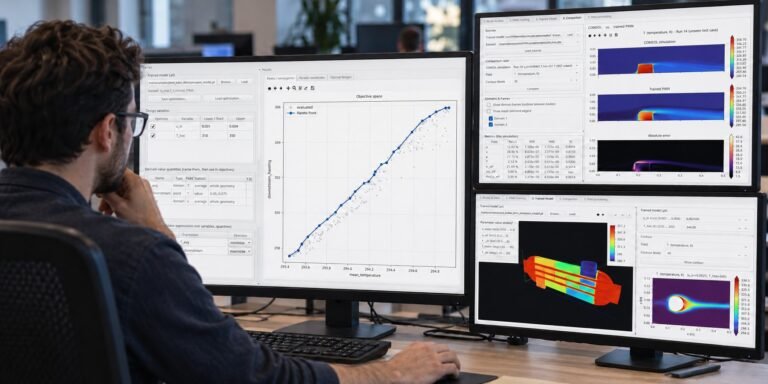
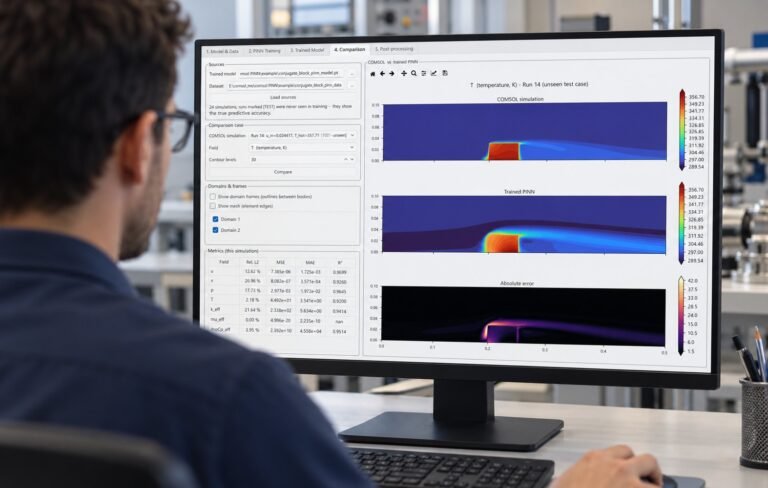
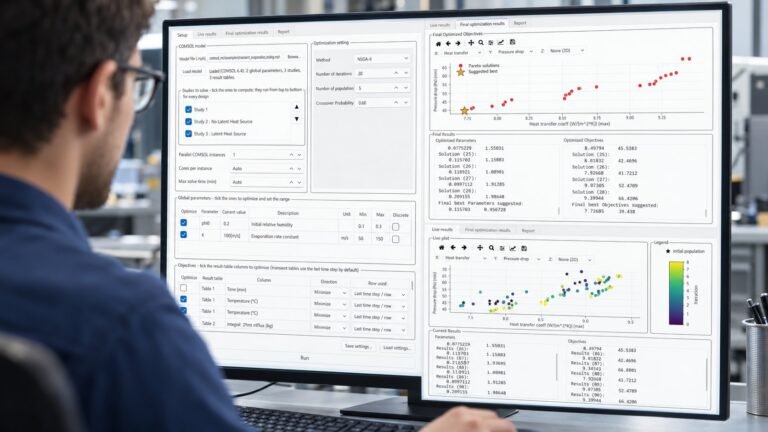
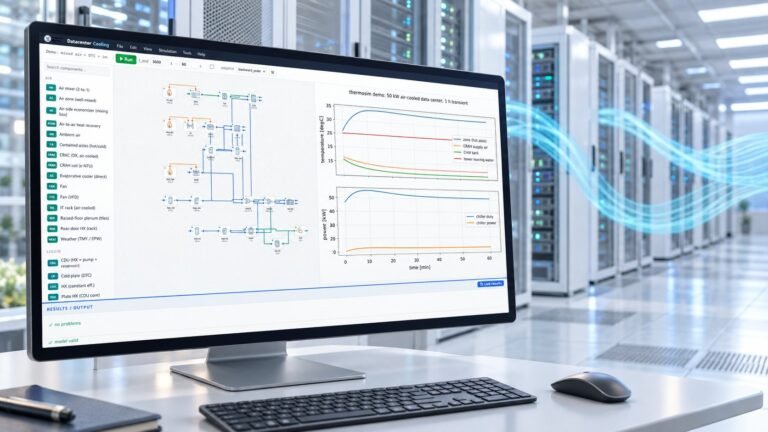
Five professional desktop applications for engineers: TRNSYS MO, EES MO, and COMSOL MO add parallel multi-objective optimization to TRNSYS, EES, and COMSOL respectively; CFD AI trains physics-informed neural-network surrogates from COMSOL simulations; and Datacenter Cooling is a standalone thermal simulator for data center plants.
Which optimization algorithms are included?
Ten multi-objective algorithms in each MO product: NSGA-II, NSGA-III, U-NSGA-III, MOPSO, SPEA2, MOEA/D, AGE-MOEA, AGE-MOEA-II, SMS-EMOA, and RVEA. Single-objective runs are supported too. CFD AI’s built-in optimizer adds six single-objective methods (GA, PSO, differential evolution, CMA-ES, pattern search, Nelder-Mead) plus grid search — 16 in total.
How does parallel optimization work?
Each CPU core gets its own isolated copy of your model and evaluates a different candidate design; whole generations run simultaneously. With N cores a study finishes close to N× faster whenever the simulation dominates the runtime. Your master model file is never modified.
How many objectives can I optimize at once?
From one (single-objective mode) up to 99 simultaneously. Two- and three-objective results are visualized live on 2D and 3D Pareto plots with axis pickers; quality metrics (spacing, mean ideal distance, maximum spread) and a suggested best design help you choose among solutions.
Do I need to modify my existing models?
No. TRNSYS MO converts legacy Type 945/946 decks automatically and installs its Type 997 with one click. EES MO needs only the $Import/$Export directives you already use. COMSOL MO reads global parameters and result tables straight from your .mph — no scripting, no extra COMSOL module.
Licensing & plans
What license plans are available?
Each product offers Monthly, Annual, and Lifetime plans, plus a free trial. Pick the plan on the product page before adding to cart. Timed plans start counting at activation, not at purchase, so buying ahead never wastes days. Lifetime licenses never expire.
How do I activate my license?
Three steps: (1) after checkout your license appears under My Account → Software Licenses; (2) open the app’s Activation tab and copy your computer’s serial number; (3) paste the serial into the license page and click Activate — your key is generated instantly and also emailed to you. Enter it in the app and you’re done.
Can I move my license to a new computer?
Yes. Licenses are bound to one machine at a time, but if you replace your PC, contact support and we reset your activation — your remaining days are preserved and you simply activate again with the new machine’s serial number.
What happens when a timed license expires?
The app tells you in advance how many days remain. When you renew, your new expiry is calculated from the later of “now” or your old expiry — renewing early never loses days — and a fresh key is emailed automatically.
How does the free trial work?
Choose the free-trial plan on the product page and check out (no charge). The trial license activates exactly like a paid one and gives you the full application for the trial period. One trial per customer per product. COMSOL MO additionally offers a separate trial edition capped at 10 iterations that needs no activation at all.
Is there an academic discount?
Yes — students, faculty, and research institutions qualify for discounted licensing. Contact us from your institutional email for a discount code.
I lost my license key — what now?
Your keys are always visible under My Account → Software Licenses, and every page has a “Resend key” button that emails it again.
Requirements & compatibility
What are the system requirements?
All products run on 64-bit Windows 10 and 11 and are fully self-contained — no Python installation needed. Host software: TRNSYS MO needs a licensed TRNSYS installation (16 or newer); EES MO needs EES Professional (for command-line solving); COMSOL MO and CFD AI need a licensed COMSOL Multiphysics (tested with 6.4). Datacenter Cooling is standalone and needs nothing else. A multi-core CPU is recommended for parallel runs; CFD AI additionally offers a GPU edition for NVIDIA CUDA cards.
Does CFD AI need COMSOL to run?
Only for generating training data and optional verification. Training, exploring results, optimization, the system-design canvas, and all five export formats (Python, MATLAB, C++, Simulink, HTML) work from the dataset and trained checkpoint alone — no COMSOL license in the loop.
Are older customers’ licenses still valid?
Yes. Keys purchased under the previous licensing system are still accepted by the current TRNSYS MO, EES MO, and COMSOL MO builds as lifetime licenses. Nothing changes for existing customers.
Support
What support is included?
Every license includes support by email and ticket, 24/7. Write to contact@multioptimization.com or use the contact form. Tutorials are on our YouTube channel, and COMSOL MO and CFD AI ship with full illustrated user manuals.
The app says “License Is Not Valid for this computer” — why?
The key was generated for a different machine’s serial number. Check that you activated with the serial shown in this computer’s Activation tab; if you’ve changed hardware, contact support for an activation reset.
The app says my system clock was set back — what does that mean?
Timed licenses protect against clock manipulation. If your PC’s date/time is genuinely wrong (for example after a CMOS battery failure), fix the clock and the message clears. If it persists, contact support.