
Description
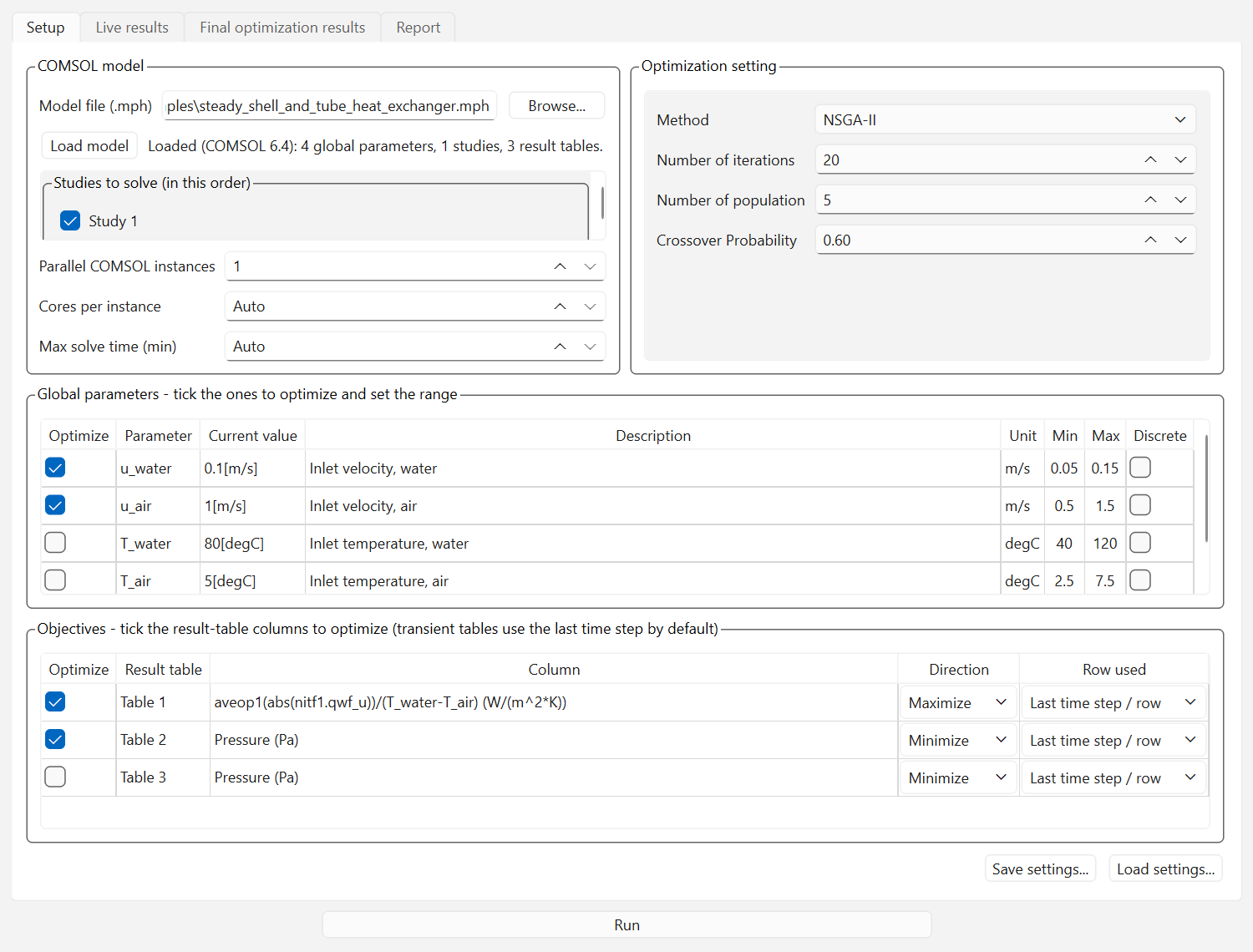
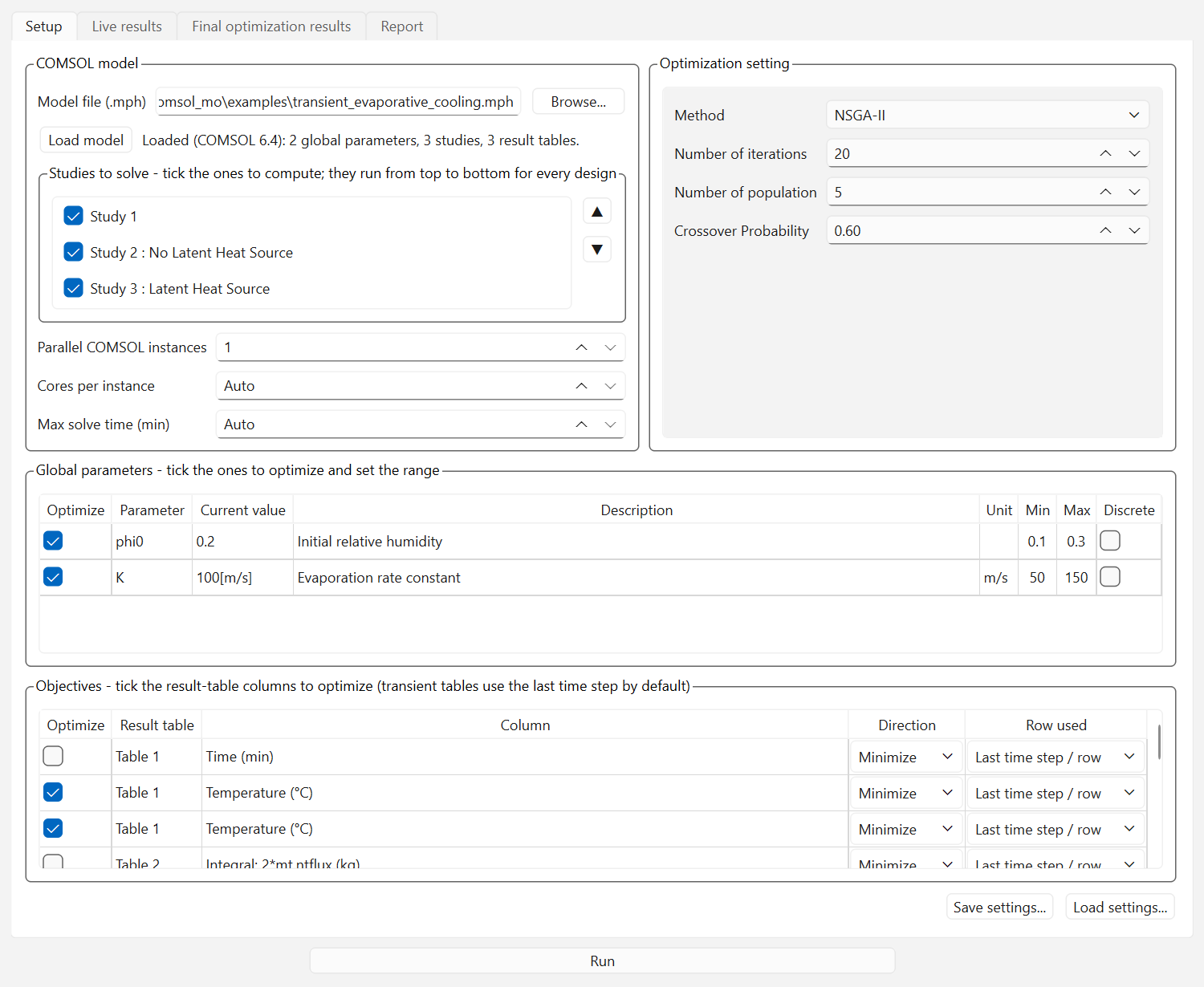
COMSOL MO wraps any COMSOL Multiphysics model in a multi-objective optimization loop with zero scripting. Load your .mph and the app lists your global parameters, studies, and result tables — tick what to optimize, set bounds, choose an algorithm, and press Run.
What does COMSOL MO do?
It automates design optimization over COMSOL global parameters without LiveLink, Java, or the Optimization Module. For every candidate design, COMSOL MO sets the parameters, solves your studies in the order you choose, re-evaluates the result tables, and extracts one number per objective. Each objective is independently minimized or maximized, transient studies are handled automatically (last time step by default), and multi-study workflows — an initialization study before the main solve — are supported with drag-to-reorder.
Key features
- No scripting, no model changes, no extra COMSOL module — standard Global Parameters and Derived Values are the whole interface
- 10 algorithms: NSGA-II, NSGA-III, U-NSGA-III, MOPSO, SPEA2, MOEA/D, AGE-MOEA, AGE-MOEA-II, SMS-EMOA, RVEA
- Any number of objectives, each independently Minimize or Maximize; discrete parameters supported
- Parallel COMSOL instances with per-instance core control — each instance solves a different design
- Crash-proof architecture — every COMSOL session runs in a separate worker process, so a solver crash can never take the app down; failed designs are penalized and the run continues
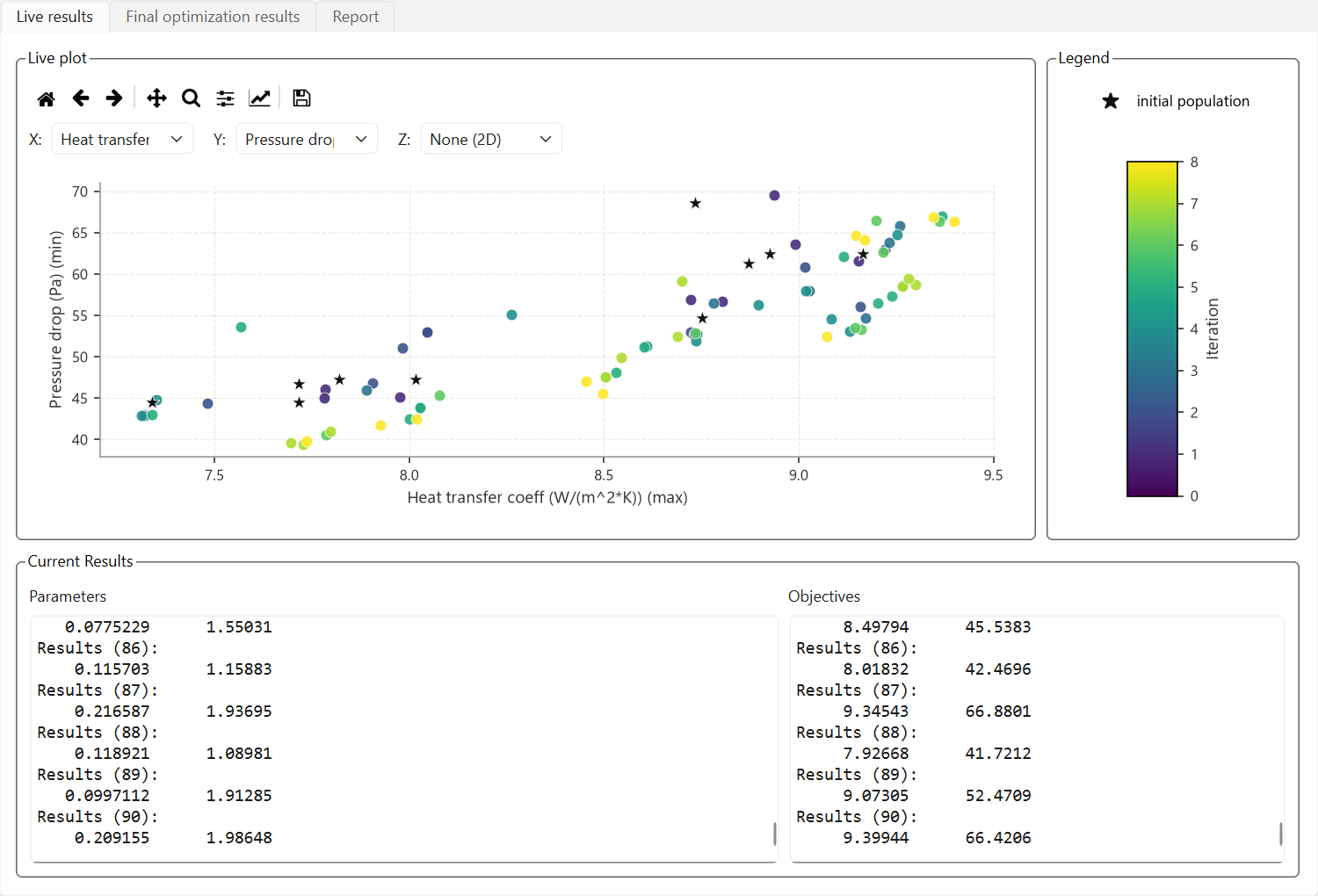
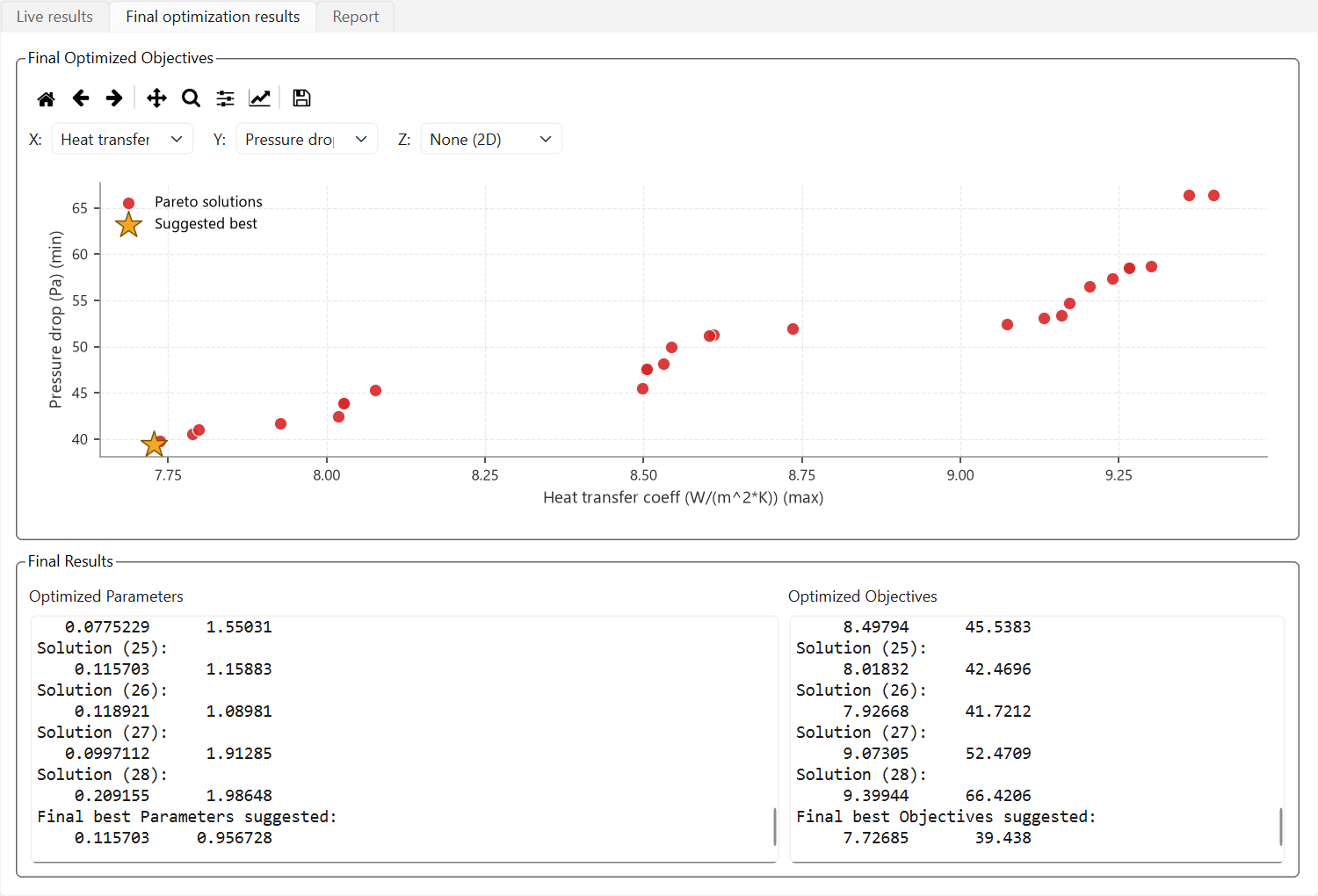
- Live 2D/3D plots, Pareto front with suggested best design, CSV reports, save/load settings
- Illustrated user manual — 11 chapters from quick start to troubleshooting
Is there a free trial?
Yes — two ways. The trial edition is the full application with runs capped at 10 iterations and needs no activation at all; it installs side by side with the full product. Or take a free 2-day trial license of the full edition from the plan picker above.
System requirements
| Operating system | Windows 10 / 11 (64-bit) |
| Host software | Licensed COMSOL Multiphysics (tested with COMSOL 6.4); no add-on module needed |
| Python | Not required — the app is fully self-contained (~250 MB) |
| Hardware | RAM for the chosen number of simultaneous COMSOL sessions; multi-core CPU recommended |
Inside the app: the five modules
| Setup | Load the .mph — global parameters, studies, and result tables appear automatically. Tick parameters with min/max/discrete, tick objectives with Minimize/Maximize, order the studies (drag or ▲/▼), set parallel instances and cores per instance |
| Live Results | Designs stream onto the plot as each COMSOL instance finishes its solve |
| Final Results | Pareto front with suggested best design and quality metrics |
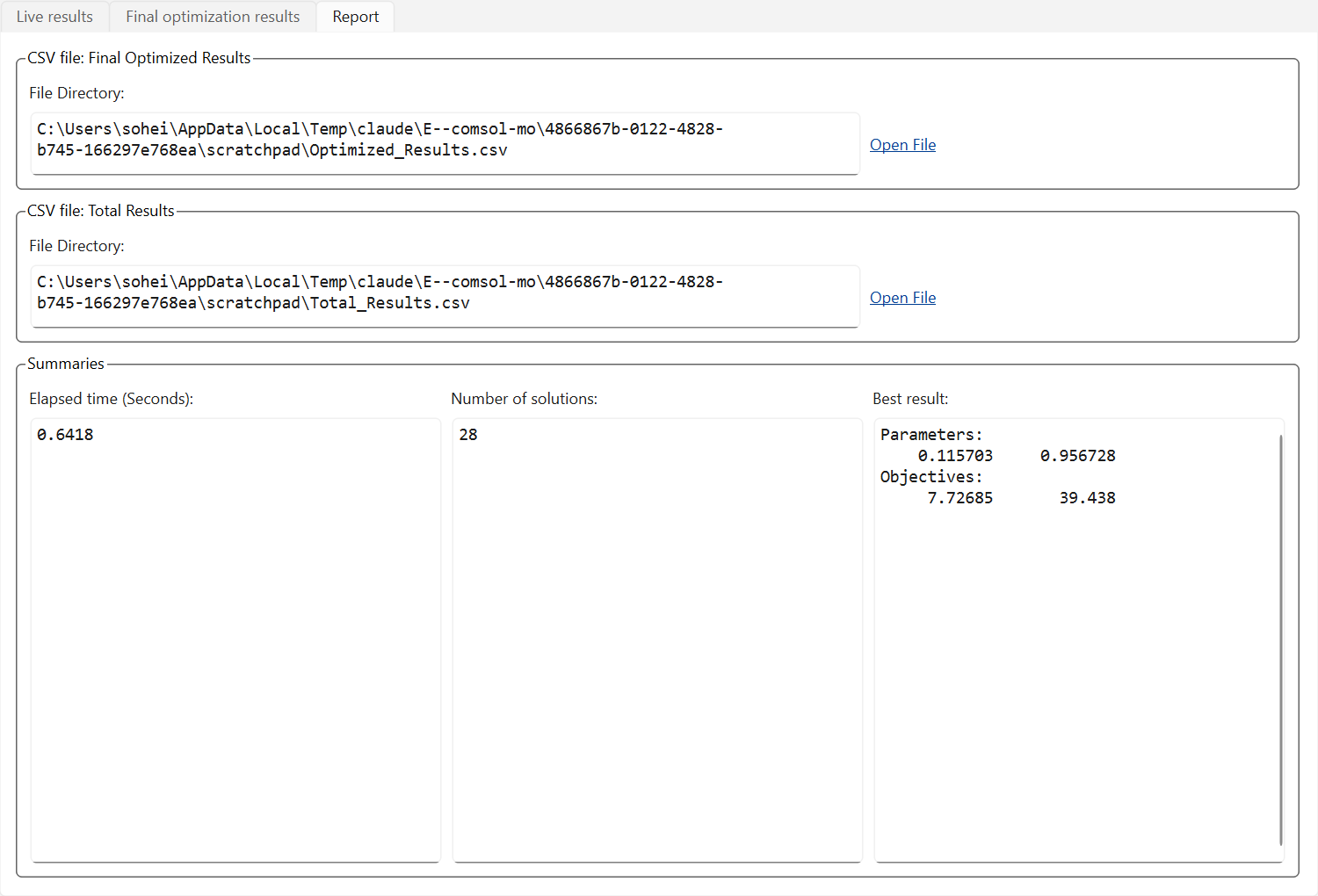
| Report | Total_Results.csv, Optimized_Results.csv, and per-instance COMSOL logs for debugging |
| Activation | Hardware serial, license entry, license status |
Try COMSOL MO before you buy
Download the free demo and check it against your own model — every product also has a 2-day free trial plan in the picker above, activated in minutes.
How does licensing work?
Pick a plan above, check out, and your license appears instantly under My Account → Software Licenses. Open the app’s Activation tab, copy your computer’s serial number into the license page, and your key is generated on the spot — timed plans start counting from activation, not from purchase, so buying ahead never wastes days. Renewing early always keeps your remaining days.
- Instant delivery — no waiting for a human to email keys
- Free trial available: one per customer, activates in minutes
- Changed computers? We reset your activation and you keep your remaining days
- Lifetime plans never expire and include updates to the same major version
Reviews
There are no reviews yet.