

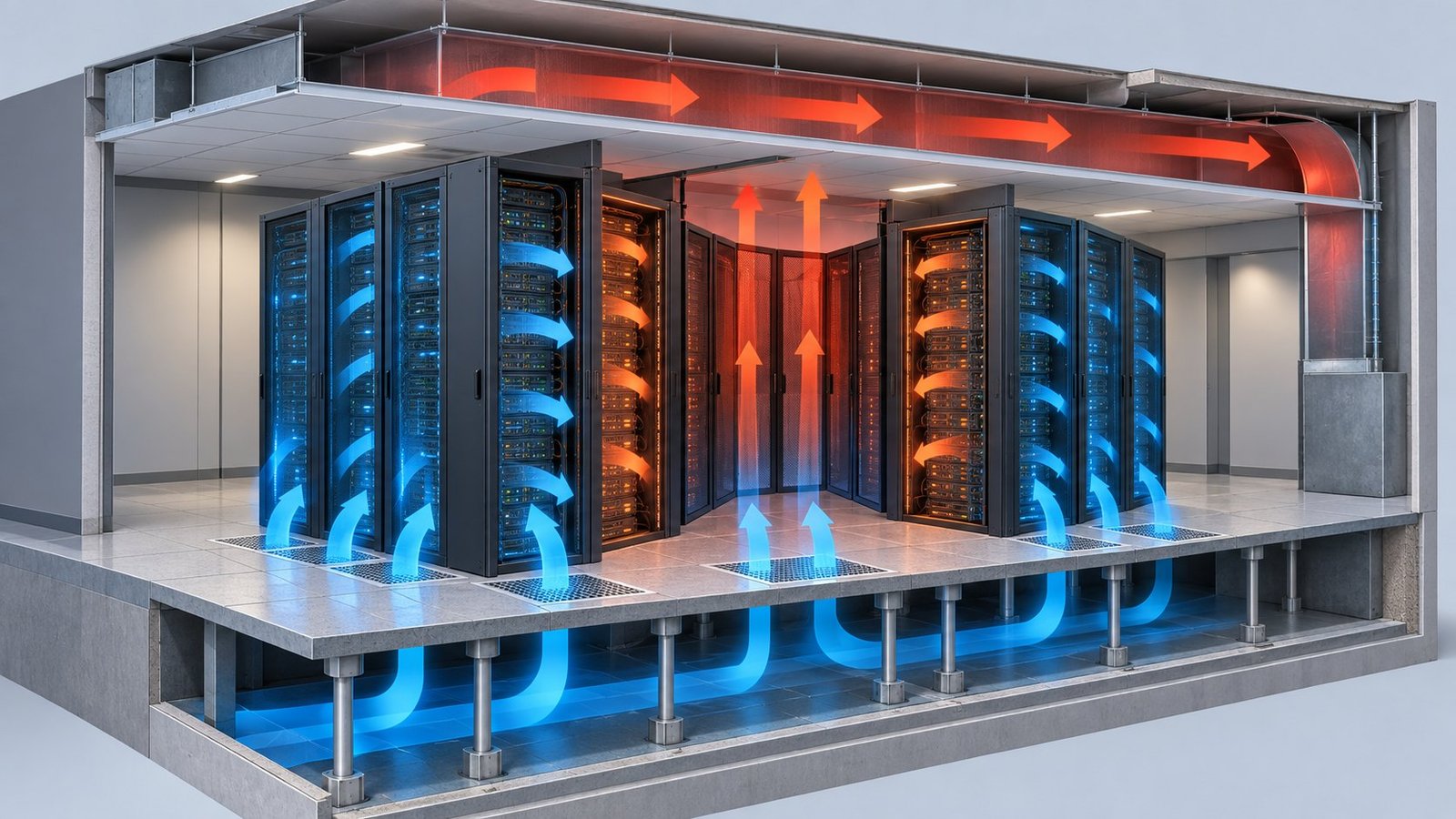
A useful CFD PINN data center workflow starts with a design question: which rack layout, airflow condition, or cooling architecture gives you the best thermal result at an acceptable operating cost? NVIDIA PhysicsNeMo’s datacenter example provides a practical starting point. It trains a 3D U-Net on OpenFOAM results and predicts temperature, velocity, and pressure throughout a hot aisle from geometry and rack-count inputs.
That workflow is suited to design iteration, not automatic plant control. The NVIDIA example reports that physics losses help when training data is scarce. It also warns that its reference OpenFOAM configuration is representative, with important details masked. Treat it as a method reference. Build your production model from your own geometry, boundary conditions, and workload cases.
Design the CFD PINN data center surrogate around decisions
The first design choice is the input space. NVIDIA’s Thermal and airflow surrogate model for Datacenter design varies hot-aisle length, height, width, and rack count. Its training cases use OpenFOAM at maximum flow rate and rack exit temperature, representing a maximum-load condition. The results are exported in VTK format, normalized, and used to train the model.
This setup gives you a clear pattern. Define a small set of geometric and operating variables that engineers can change repeatedly. Use signed distance fields to represent interior geometry. The NVIDIA implementation uses padding for different aisle sizes and adds sinusoidal embeddings to capture sharp flow features. Those choices matter when your output is a full field rather than one outlet temperature.
Separate the reference model from the production model
Do not assume the public configuration reproduces a real facility. NVIDIA states that several aspects are masked to protect intellectual property. You should replace them with your rack dimensions, perforated-tile pattern, containment details, fan curves, and boundary conditions. Keep a held-out OpenFOAM or COMSOL set for validation. A useful first split is 80 percent for training and 20 percent for testing, provided the test cases cover unseen layouts.
A physics-informed variant can reduce error when you have fewer solved cases. NVIDIA reports that adding physics losses is especially beneficial in low-data regimes because the losses compensate for limited examples. That does not remove the need for CFD validation. Check hotspot temperature, recirculation zones, pressure behavior, and conservation residuals before using the surrogate in an optimization loop.
In practice, your AI CFD surrogate modeling pipeline should expose both predictions and validation metadata. Store the geometry range, load condition, mesh assumptions, and error metrics with every model version. This makes the surrogate auditable when a design moves from a 20-case screening study to a larger 200-case campaign.
Turn full fields into cooling optimization objectives
A data center CFD surrogate becomes useful when its fields answer an engineering trade-off. Do not optimize an abstract loss value. Extract quantities that affect your design review. From temperature, velocity, and pressure fields, calculate the maximum rack inlet temperature, the number of cells above a threshold, pressure drop, and flow imbalance. Pair those outputs with fan power and facility-level energy measures.
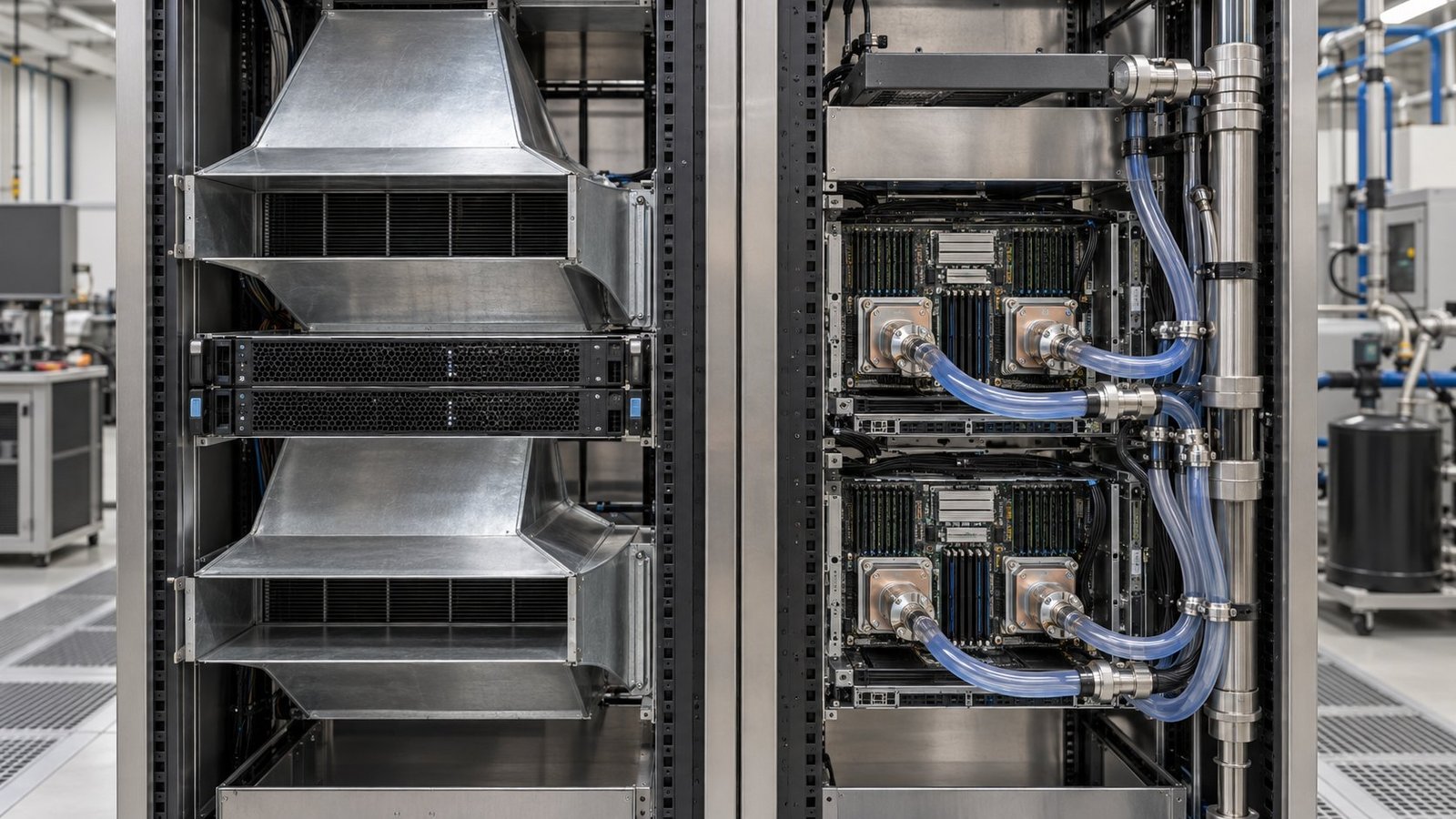
Multi Optimization’s datacenter product covers air cooling, direct-to-chip cooling, and immersion cooling. Its CFD AI trains physics-informed surrogates from COMSOL data and exposes full flow and temperature fields for optimization. That combination lets you compare cooling architectures inside one optimization study while preserving the spatial information needed to find local hotspots.
Use a small, explicit objective set
Start with three or four objectives. For example, minimize hotspot temperature, minimize fan power, minimize PUE, and select the cooling architecture as a discrete design variable. If PUE is not available from the CFD domain, connect the field model to an energy balance or plant model. Do not infer facility energy from an aisle snapshot alone.
- Hotspot temperature — minimize the worst rack or the 99th percentile cell temperature.
- Fan power — minimize the electrical cost associated with the required airflow.
- PUE — evaluate it through a linked facility or HVAC model, not from CFD alone.
- Cooling architecture — compare air, direct-to-chip, and immersion as separate design branches.
Use Pareto results to show what each degree of thermal margin costs. A candidate that lowers hotspot temperature by 2 °C but raises fan power by 18 percent may be useful only under a high-density GPU scenario. Multi-objective optimization makes that trade-off visible across 50 or 100 candidate designs instead of hiding it behind one weighted score. You can then select a design for detailed simulation and review.
Keep design-time surrogates separate from workload control
The buyer’s next question is usually dynamic GPU load. A steady maximum-load surrogate can screen layouts, but it does not automatically represent a workload that changes every few seconds. The 2026 Journal of Building Engineering record titled High temporal-resolution HVAC control in GPU-centric data centers via reinforcement learning and a knowledge-embedded physics-informed neural network points directly at this problem.
Its indexed keywords include dynamic workloads, knowledge embedding, PINN, DDPG, adaptive control, GPU, data center, and HVAC. Those terms describe a control-oriented research direction. They do not validate a controller for your facility. You still need time-series loads, actuator limits, sensor placement, plant response, and site-specific commissioning data.
Use two models with different jobs
A design-time data center CFD surrogate maps geometry, rack count, cooling configuration, and boundary conditions to spatial fields. Its job is to evaluate many candidate designs quickly. A control-time thermal model instead maps changing loads and actuator settings to temperatures and HVAC response over time. It may use reduced states, recurrent terms, or a physics-informed structure. It must also represent delays, constraints, and measurement noise.
Do not make the CFD PINN data center surrogate pretend to be a closed-loop controller. Use it to generate design candidates and operating envelopes. Then build a separate dynamic model for workload response. Validate that model against measured or high-fidelity transient cases before testing DDPG, adaptive control, or any other policy.
- Generate steady design cases across geometry, rack count, and cooling architecture.
- Train and validate the full-field surrogate against held-out CFD results.
- Extract hotspot, pressure, flow, and energy metrics for Pareto optimization.
- Build a transient thermal model using dynamic GPU load and actuator data.
- Test control policies inside the validated transient model before site deployment.
This division also clarifies model ownership. The design team manages geometry and architecture variables. The controls team manages sampling intervals, fan commands, valve positions, and safety constraints. Both teams can share the same CFD evidence, but they should not share assumptions without checking the time scale.
FAQ: CFD PINN data center modeling
What does a CFD PINN data center surrogate predict?
It can predict spatial temperature, velocity, and pressure fields for defined geometry and operating inputs. NVIDIA’s example uses a 3D U-Net trained from OpenFOAM data.
When should you use physics losses?
Use them when your CFD dataset is small or expensive to expand. NVIDIA reports the strongest benefit in low-data regimes. Confirm the result against held-out simulations.
Is a design surrogate a workload controller?
No. A design surrogate evaluates parameterized designs. A control model must capture dynamic GPU loads, actuator response, delays, and safety limits.
Can you compare air, direct-to-chip, and immersion cooling?
Yes, if each architecture has representative geometry, boundary conditions, and energy accounting. Multi Optimization supports these three cooling branches in its datacenter product.
Use the model to choose the next simulation
A useful CFD PINN data center study ends with a defensible shortlist. Train on cases that span your real geometry and load range. Validate full fields, not only one temperature. Then optimize hotspot temperature, fan power, PUE, and cooling architecture as separate outputs. Multi Optimization can support that workflow through data center cooling simulation for multi-objective design, with COMSOL-based physics-informed surrogates for rapid field evaluation.